
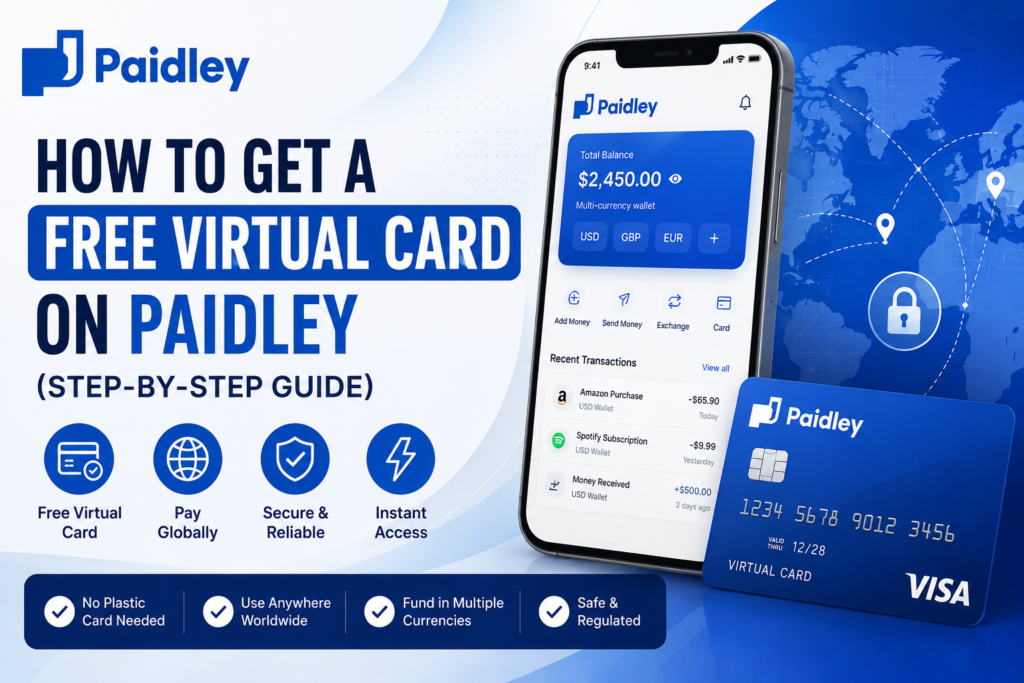
Getting a free Paidley virtual card is honestly one of those things that takes longer to explain than it does to actually do. The whole process — from creating your account to having a card number ready to use — takes less than ten minutes if you have your details handy.
No branch visits. No waiting for plastic to show up at your door. Just your phone or laptop and a few minutes.
Here’s exactly how to do it.
But First — Why Even Bother With a Paidley Virtual Card?
Fair question. There are a few virtual card options out there, so why go with Paidley specifically?
Here’s the honest answer: if you’ve ever tried to pay for something on an international website using a local African card and watched it get declined, you already understand the problem Paidley is solving. It’s not just about having a card. It’s about having a card that actually works — on Amazon, on Shopify stores, on ad platforms, on subscription tools — without the runaround.
What makes Paidley different is that the virtual card sits inside a multi-currency wallet. So you’re not just getting a card number. You’re getting a card connected to an account that lets you hold USD, GBP, EUR, and other currencies, convert between them, and spend directly — without converting everything back to naira first and losing money in the process.
On top of that, Paidley works with a licensed, regulated banking partner, so the infrastructure behind your card is real and solid.
What You Actually Need to Get Started
Nothing complicated here. Before you open your Paidley account, just make sure you have:
- A working email address
- Your basic personal details — full name, date of birth
- A phone number you can verify
- A few minutes to spare
That’s the full list. No utility bills, no guarantors, no trips anywhere.
Step-by-Step: How to Get Your Free Paidley Virtual Card
Step 1: Go to Paidley’s Website or App
Head to the official Paidley platform. You can access it through their website or download the app on your phone. Either works fine — just make sure you’re on the official platform so your information stays secure.
Step 2: Create Your Account
Click the sign-up button and enter your email address and a password. Paidley keeps this part refreshingly short — no wall of form fields to get through before you’ve even started.
Once you submit, check your inbox for a verification email and click the link inside. That confirms your account and gets you in.
Step 3: Fill In Your Profile
After you’re logged in, you’ll need to complete your profile. This means adding your full name, date of birth, phone number, and a few other basic details.
Don’t skip this part. In addition to keeping your account secure, a complete profile usually unlocks higher limits and full access to everything Paidley offers. It takes two minutes and it’s worth doing properly.
Step 4: Verify Your Identity
This is standard across every legitimate fintech platform. Paidley will ask you to verify your identity — typically through your phone number and personal details.
It’s not a bureaucratic nightmare. It’s a quick step that protects your money and your account. Because Paidley operates under a regulated banking framework, this verification is part of staying compliant — and it works in your favour as a user.
Step 5: Add Money to Your Wallet
Here’s something a lot of people overlook: your virtual card draws from your Paidley wallet balance. So before you can use the card, you need funds in your wallet.
You can receive money into your Paidley account from someone else, or deposit funds directly. The wallet supports multiple currencies, so if you want to spend in USD, fund it in USD. As a result, you avoid unnecessary conversion fees when you actually go to pay for something.
Step 6: Grab Your Virtual Card Details
Once your wallet has money in it, go to the card section on your dashboard. Your virtual card details are right there — card number, expiry date, CVV. Copy them, save them somewhere safe, and you’re ready.
No delivery wait. No “your card is on its way” email. It’s instant.
Step 7: Use It Anywhere That Accepts Card Payments
Take your card details to any website or app that accepts international card payments and enter them at checkout exactly as you would with a physical card. From that moment, paying globally works the same way paying locally does – dexcept now it actually goes through.
What Can You Pay For With It?
Once the card is in your hands, the list of things you can do with it is pretty long. For example:
Subscriptions – Netflix, Spotify, Adobe Creative Cloud, Notion, ChatGPT Plus, Canva Pro. All of these bill in USD. All of them work with your Paidley card.
International shopping – Amazon, ASOS, AliExpress, Etsy, whatever you’ve been trying to buy and couldn’t check out on. Now you can.
Digital advertising – Google Ads and Meta Ads both require a card that works internationally. Your Paidley card handles both without any drama.
Freelance tools – if clients pay you in dollars and you reinvest that into tools or software, you can now spend straight from your dollar balance instead of converting first and losing on the exchange.
Travel bookings – flights, hotels, car rentals on international platforms. These often work better with a card like this than with a local debit card.
In other words, most of the payment problems you’ve been working around? The Paidley virtual card removes them.
Is It Actually Free?
Yes – opening your account and getting the card costs nothing. There’s no sign-up fee, no card issuance fee, nothing like that.
However, it’s worth knowing that some transactions – like currency conversions or specific transfers – may carry fees. That’s true of every platform in this space, and Paidley’s rates are generally competitive. Check the platform directly for the current fee structure before you transact so there are no surprises.
A Few Things Worth Knowing Before You Start Spending
Keep your wallet topped up. Especially for subscriptions — if a recurring charge hits and your balance is empty, the payment will fail. Set a reminder to top up regularly.
Match your currency to your payment. If you’re paying in USD, have USD in your wallet. This way you’re not losing money on a conversion you didn’t need to make.
Check your transaction history. The Paidley dashboard shows your transactions in real time. Get into the habit of glancing at it – it takes thirty seconds and keeps you on top of where your money is going.
Support is there when you need it. Paidley runs 24/7 support, so if a transaction behaves strangely or you have a question at an odd hour, reach out. They’re actually available.
So – Is It Worth It?
Look, if international payments have been a consistent headache for you, the answer is yes. Getting a free Paidley virtual card is a low-effort, high-reward move. The sign-up takes minutes, the card is free, and the access it gives you is genuinely useful whether you’re a freelancer, a business owner, a student, or just someone who shops online.
More importantly, it stops being about “trying to get around payment barriers” and starts being about just paying for things — like it should be.
Go open your Paidley account and get your virtual card today. It takes ten minutes and it’s free.
Paidley is a financial technology company and not a bank. Banking services are provided by Paidley’s partner banks.